POWERCASTER FOR LIVE SHOWSOne control room for your whole team

LIVE STREAM CONTROL DESK

Run the show.
Keep the chat moving.

PowerCaster brings live session controls, gift-driven games, and stream overlays into one desktop workspace built for the people running the show.
▣ Windows desktop app◉ TikTok LIVE connection⌁ OBS browser overlays
POWERCASTER WORKSPACESAMPLE SESSION
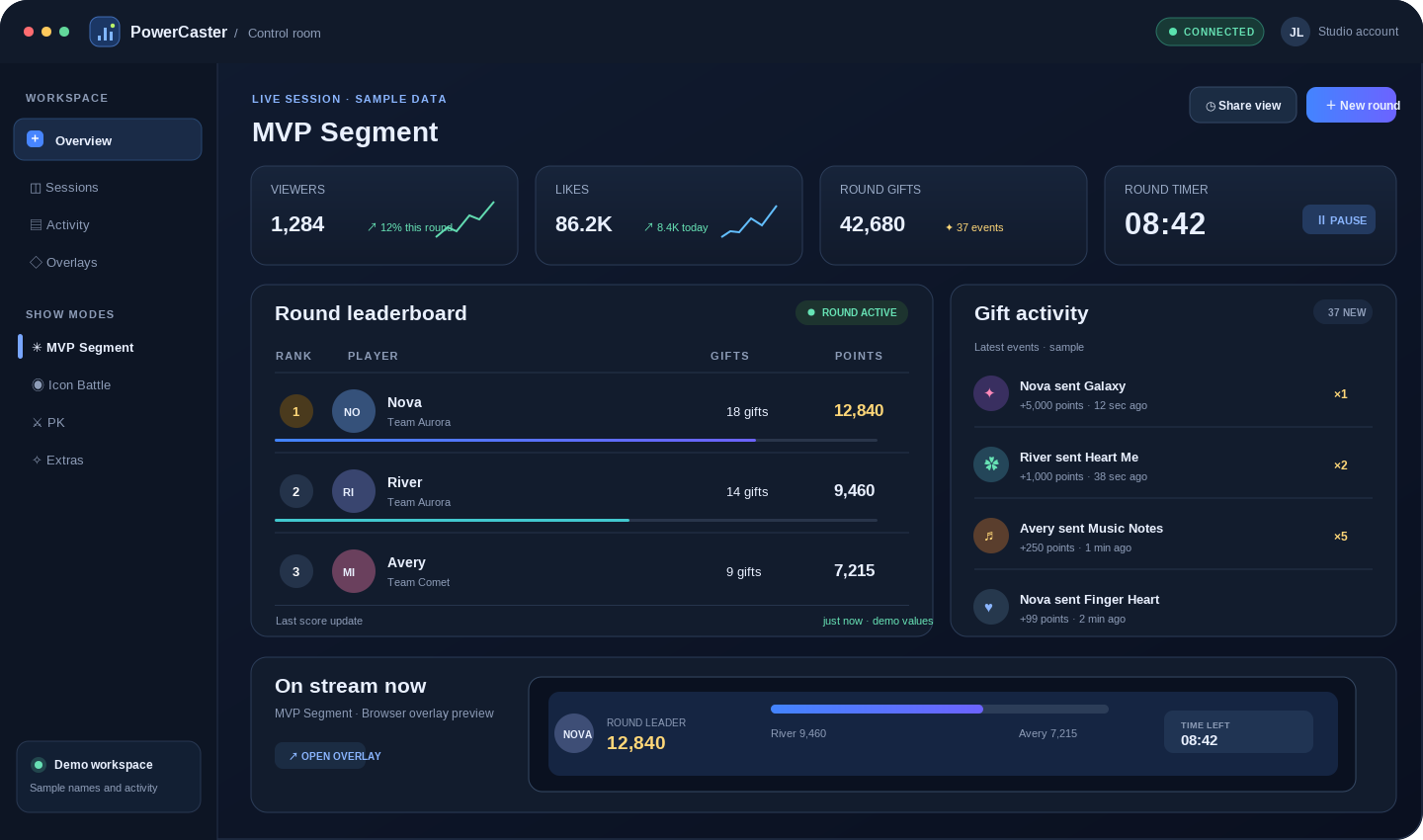
PowerCaster workspace showing a configured MVP Segment, sample scores, gift activity, and overlay preview.
✦Live activityGift events, at a glance
Overlay previewReady for your scene
Interface preview · fictional demo data
MVP SEGMENT✦ICON✦PK✦EXTRAS✦MVP SEGMENT✦ICON✦PK✦EXTRAS

FOUR CLEAR WAYS TO RUN THE ROOM

Pick the format.
Power the moment.

Switch between focused tools for your show. Icon is its own mode, separate from PK.

✳01
GIFT-DRIVEN SCOREBOARD

MVP Segment

Track scores, control the timer, and keep the ranking visible while the session moves.

Session score · timer · ranking overlay
◉02
ITS OWN LIVE FORMAT

Icon

Build around its own gift slots and visual cues. It stays separate from PK.

Icon slots · dedicated setup · overlay
⚔03
TEAM VS TEAM

PK

Set up the matchup, run the round, and show both sides’ scores on stream.

VS
Match controls · team scores · PK overlay
✧04
MORE FOR THE BROADCAST

Extras

Add supporting widgets that give your audience another way to follow the session.

Gift goalTop supporterMessage ticker
Rankings · goals · stream widgets

MADE FOR THE OPERATOR

One view for
the moving parts.

Watch incoming gift activity, manage the current mode, and preview the overlay without losing sight of the session.
  • ✓ See gift and audience activity together
  • ✓ Control the active round and its timer
  • ✓ Preview the selected overlay in the workspace
Screen shown with fictional names and sample values.
Configured PowerCaster control room with Nova, River, and Avery demo scores, recent gifts, and a live overlay preview.
POWERCASTER DESKTOPDEMO SESSION

FOUR OVERLAY FAMILIES

A look for
every part of the show.

Preview what viewers see for each PowerCaster section. Add the browser overlay to OBS or TikTok LIVE Studio and keep the action visible.

OBS browser sourceTikTok LIVE StudioFictional demo values
✳
SESSION SCOREBOARD

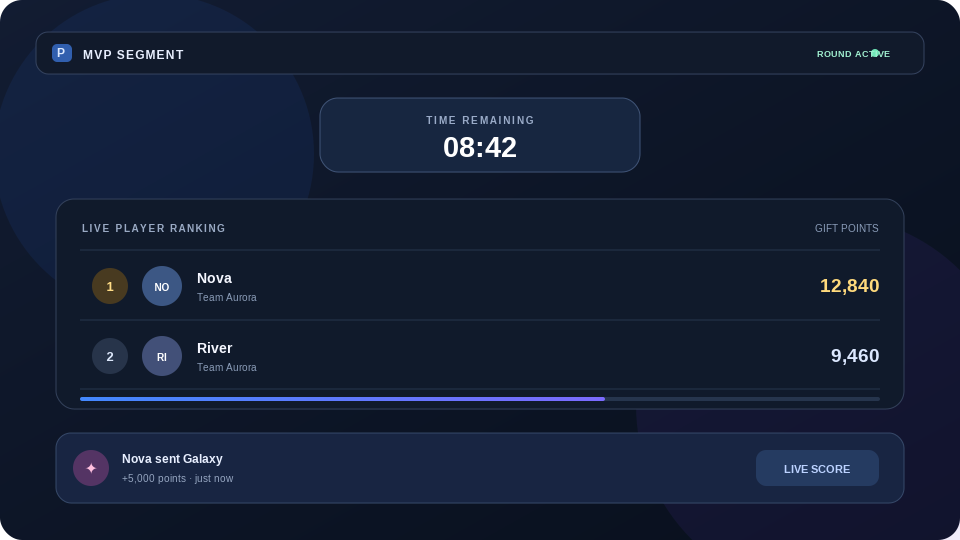
MVP Segment

DEMO
MVP Segment overlay sample showing a countdown, Nova and River scores, and a recent gift.
Round timer · player ranking · gift pointsSample overlay
◉
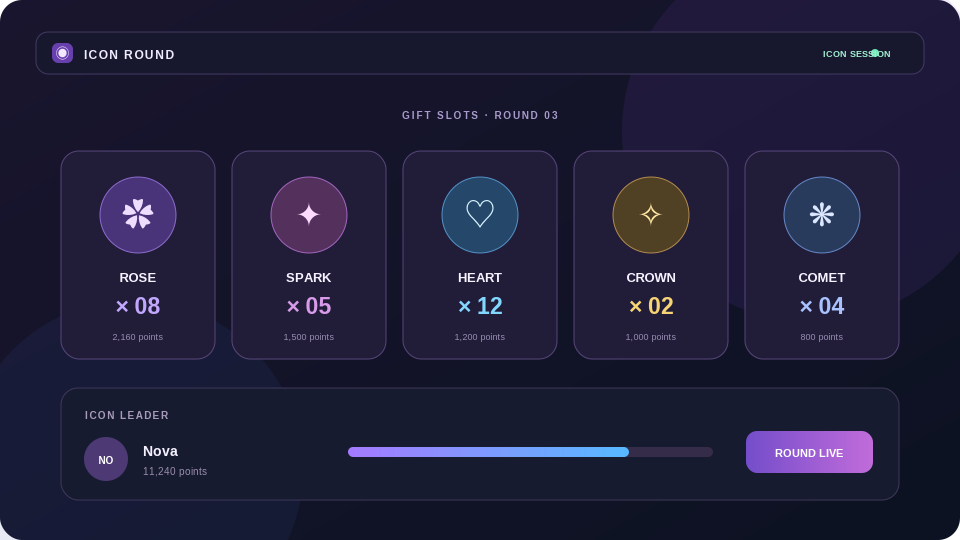
ICON ROUND

Icon

DEMO
Icon overlay sample with active gift icons, counts, and the leading player.
Icon slots · gift counts · round leaderSample overlay
⚔
TEAM MATCHUP

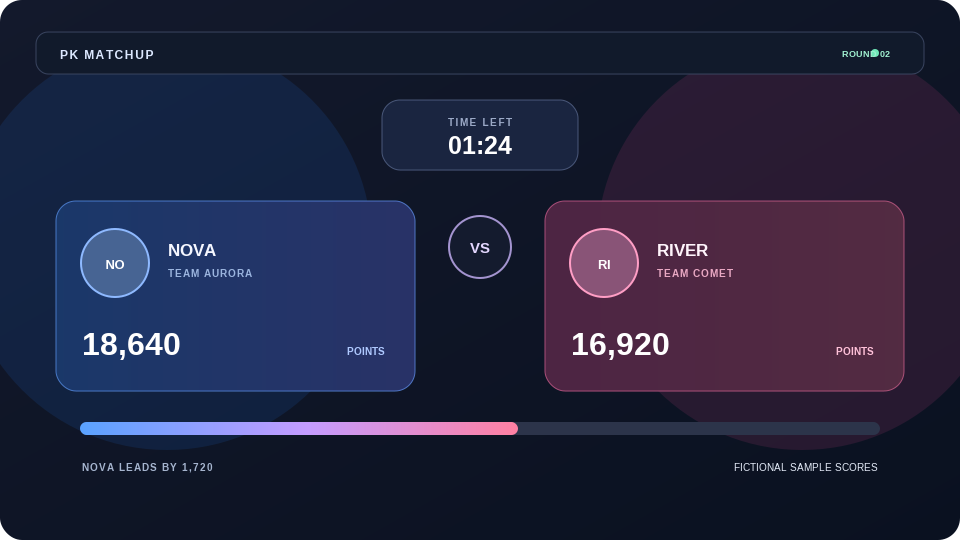
PK

DEMO
PK overlay sample showing two teams, player scores, a VS bar, and a countdown.
Two sides · score bar · match timerSample overlay
✧
STREAM WIDGETS

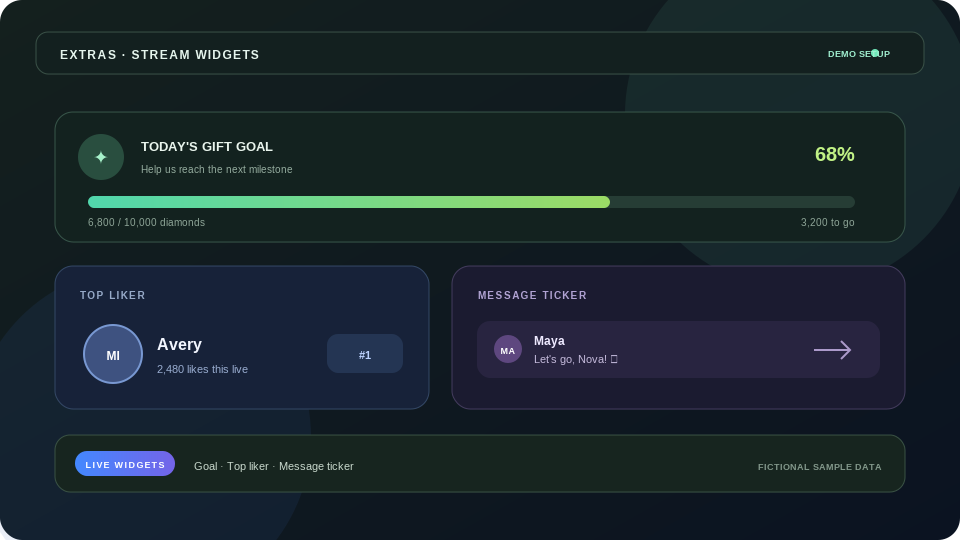
Extras

DEMO
Extras overlay sample with a gift goal, top liker card, and message ticker.
Gift goal · top liker · message tickerSample overlay

Names, scores, counts, and messages shown here are fictional sample data.

A SETUP THAT FOLLOWS THE SHOW

Prepare. Run. Put it on screen.

PowerCaster keeps stream setup close to the session controls you use live.

01

Set up the scene

Arrange your format, names, gift slots, and overlay preferences before the action starts.

02

Run the session

Connect to TikTok LIVE and use the mode controls to follow gifts and manage each round.

03

Show the action

Add the chosen browser overlay to OBS or TikTok LIVE Studio and bring viewers into the moment.

POWERCASTER FOR GROUPS

One subscription.
Every show ready.

Give your crew one shared streaming toolkit with MVP Segment, Icon, PK, and Extras. Your account controls the subscription and software access.

MONTH-TO-MONTH GROUP PLAN$50 / month

Includes the Windows app, all four sections, and stream overlays. Cancel any time.

  • 1 group account
  • Square or PayPal checkout
  • Access follows your subscription status
Create accountCheckout setup is not connected yet. No payment will be taken from this preview.

USEFUL DETAILS

Before you go live.

What is PowerCaster?

PowerCaster is a Windows desktop tool for managing TikTok LIVE sessions, gift-based game modes, and stream overlays from one workspace.

Are Icon and PK the same mode?

No. Icon has its own gift slots and overlay. PK remains a separate team-versus-team mode.

What do the screenshots show?

They use fictional names, scores, and gift activity so you can see a configured session. They are not real customer sessions.

How does software access work?

After the payment provider confirms an active subscription, the account can download the installer and retrieve its license. The app checks that license against the subscription status when it starts.

Can I pay with Square or PayPal?

The platform is designed to support either provider. A subscription becomes active only after its verified payment event reaches PowerCaster.

Is PowerCaster part of TikTok?

No. PowerCaster is independent third-party software and is not affiliated with or endorsed by TikTok.